
















Mine Shooter Overview
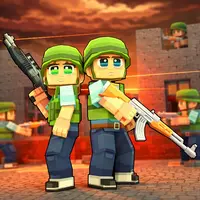
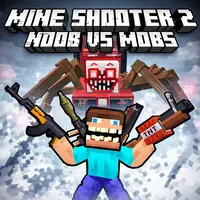
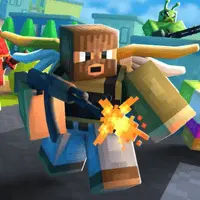
Mine Shooter is a first-person action game that drops you straight into a blocky world full of danger. If you love voxel graphics and fast shooting, this one will keep you busy for a long time. The main goal is simple. You just need to survive against waves of angry monsters that want to take you down. You start with basic weapons, but you can unlock a big arsenal as you progress.
The game splits the action into clear stages. Each stage brings a new wave of mobs that chase you across the map. You will run into classic block creatures, giant bosses, and fast enemies that try to surround you. The maps look a lot like the terrain you find in Minecraft Classic, which makes the world familiar right away. It is an arcade survival test where your movement and aim matter most.
What makes this game fun is the steady sense of danger. You cannot just stand in one spot and shoot. The mobs spawn from different directions, so you must keep moving to stay alive. It takes the familiar building blocks of sandbox worlds and turns the area into a pure combat zone. You do not build houses here. You just clear the field and try to make it to the next day.
How to Play
When you start a match, you spawn in an open area with your first gun. Enemies will begin to walk toward you from the edges of the screen. Your job is to shoot them down before they get close enough to hit you. Every monster you defeat drops coins. You want to pick up these coins as fast as you can because they are the key to your survival.
Between the battle stages, you can spend your coins in the shop. The shop has heavy rifles, fast shotguns, and explosive weapons. Buying a strong gun makes a huge difference when the enemy count grows. The game starts with easy waves so you can learn the map layout. Once you clear those, the groups get large and heavy. You must manage your ammo and swap weapons at the right time to avoid getting trapped.
Game Controls
The control scheme is standard for web shooters, so you will pick it up fast. You use the WASD keys to move your character forward, backward, and side to side. Use your Mouse to look around the map and aim your weapon crosshair at the targets.
- Left Click: Fire your current weapon.
- Right Click: Aim down the sights for a precise shot.
- R Key: Reload your gun when the magazine is empty.
- Spacebar: Jump over small blocks or obstacles.
- 1 to 6 Keys: Switch between the weapons in your inventory.
Tips and Strategies to Win
My best advice for this game is to never stop moving backward while you shoot. The mobs move in direct lines toward your position. If you run backward in a big circle around the map, you can bunch them up into one big group. This makes it very easy to clear them out with explosives or fast automatic fire. If you get cornered by a wall, use your jump key to hop over low blocks and break free.
Keep an eye on your reload timing too. Do not wait for your gun to hit zero bullets if there is a short break in the action. Press the reload key manually when you are safe behind a hill. That way, you always have a full clip when the next wave jumps out at you.