










Eaglercraft Overview
What is Eaglercraft?
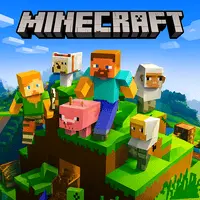
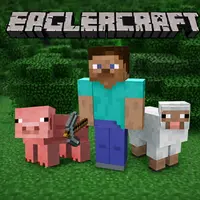
Eaglercraft brings the classic block world experience straight into your web browser. You play a version that feels just like the old Minecraft days. No need to install anything or buy the full game. It runs smoothly on computers, Chromebooks, phones, and tablets as long as you have a browser open.
The main objective is simple. You gather wood, stone, and other materials from the land around you. Then you craft tools, build a shelter, and stay safe as night falls. You can dig deep caves for rare items or create huge structures on the surface. Many players spend hours making farms, houses, or entire towns out of blocks.
Whether you want to play alone in your own world or connect with others on public servers, Eaglercraft gives you that freedom. It stays true to the original block-placing and breaking fun that so many people remember from years ago.
How the Game Works
When you first load into a new world, you stand in a grassy area with trees nearby. You punch trees with your hands to collect wood. From there you make a crafting table and basic tools. The world stretches out in all directions with hills, rivers, and caves to discover.
Day and night cycles matter a lot. During the day you can explore safely and gather supplies. When night comes, different creatures appear. You need to build walls or find a safe spot underground before it gets dark. Food is important too. You hunt animals or grow crops so your character does not get hungry.
Eaglercraft lets you switch between creative mode and survival mode. In creative you have all items available and can fly around to build anything you want without limits. Survival mode makes you collect every resource the hard way and watch your health.
Getting Started in Your First World
Start by punching a few trees. Turn the wood into planks and sticks. Make a wooden pickaxe so you can mine stone faster. Build a small house with dirt or wood blocks to protect yourself at night. Many new players make a simple box house first and then improve it later.
Explore the area near your spawn point. Look for sheep to get wool for a bed. Beds let you skip the night so you avoid trouble. Find coal in caves near the surface to make torches. Torches keep dark areas lit and stop creatures from spawning near them.
You can also try Minecraft Classic if you want another simple block building experience. Or check out Bloxd.IO for a different take on block worlds with more action.
Building and Crafting
Crafting is at the heart of the game. You combine materials on a grid to make better tools, weapons, and armor. A stone pickaxe mines faster than wood. Iron tools last longer and work better. Diamond tools are the strongest you can get in survival.
Building is where your ideas come to life. Some players make small cabins. Others create castles, bridges, or giant pixel art. You can build underground bases or tall towers that touch the sky limit. The block world has almost no rules, so you decide what to make.
Farming adds another layer. Plant seeds from grass to grow wheat. Make a garden near water so crops grow fast. Raise animals in pens for steady meat and other drops. A good farm means you never run out of food while you work on bigger projects.
Exploring Caves and the Nether
Caves are full of danger but also great rewards. You find iron, gold, and other ores as you dig down. Lava flows and big drops can end your run quickly, so bring plenty of torches and blocks to bridge gaps.
Once you have strong gear, you can build a portal to the Nether. That dimension has different terrain and new materials. It is risky because special creatures live there, but the rewards help you make even better items back in the main world.
Many players enjoy Sprunki Minecraft for creative twists or Miniblox when they want a smaller scale block game after long Eaglercraft sessions.
Multiplayer Fun
Joining servers is one of the best parts. You can play with friends or meet new people. Some servers focus on survival together. Others have mini games, skyblock challenges, or creative plots where everyone builds in their own area.
Chat with other players while you work. Team up to fight big groups of creatures or build something massive. Multiplayer worlds stay alive with activity even when you log off for a while.
If you like fast action, try Pixel Warfare or Kirka.IO after you take a break from building. They bring different energy while still feeling familiar.
Controls and Performance
The controls match what most players already know. WASD to move, mouse to look and break or place blocks. Space to jump, shift to sneak. E opens your inventory. It all feels natural after a few minutes.
Because it runs in the browser, it works on many devices. You can play during lunch at school or on your phone while waiting somewhere. Worlds save in your browser storage so you can come back to the same place later.
Common Activities Players Enjoy
Many people like to speed run to full diamond gear. Others build roller coasters with minecarts. Some create giant statues or recreate real places block by block. The possibilities keep players busy for weeks or months.
You can collect every type of block and item. Decorate your base with paintings, flowers, and carpets. Set up lighting so your builds look good at night. Small details make the world feel more alive.